- DATE:
- AUTHOR:
- The ArborXR product team
- RELATED ROADMAP ITEMS:
- Install Managed Meta App Store Apps
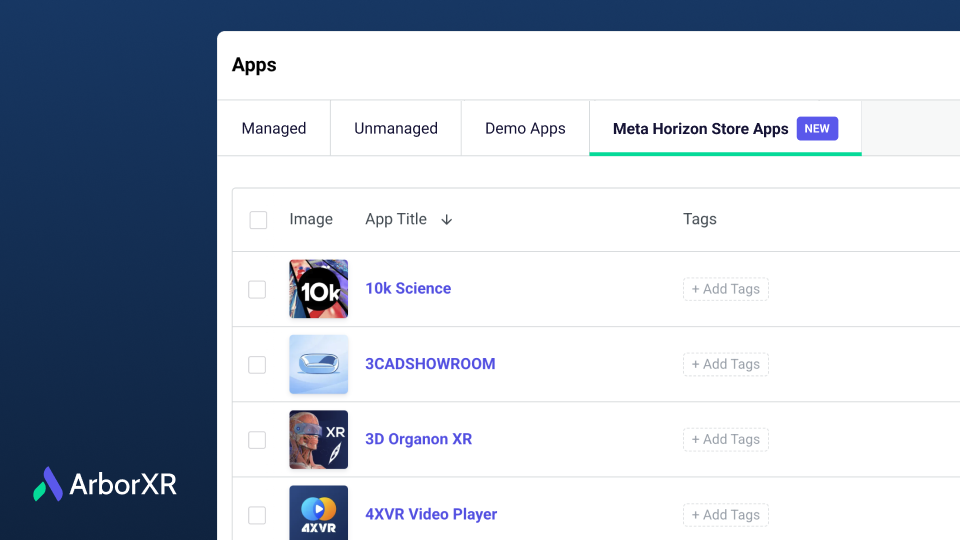
Install Meta Horizon Store Apps with ArborXR
Hardware is only as powerful as the content running on it. That’s why we are thrilled to announce that ArborXR can now install apps from Meta’s "Managed" App Store (via Horizon managed services).
This integration gives you access to a library of 500+ apps covering everything from immersive training and education to collaboration tools. As developers continue to opt-in, this catalog will only continue to grow.
Why this matters for your deployment:
Remote Deployment: These apps can be installed and updated remotely across your Meta Quest fleet.
Shared Mode Compatibility: A curated selection of these apps supports "Shared Mode," allowing you to install and launch content on devices without the need for individual managed Meta accounts.
Wide-Ranging Catalog: Access a diverse catalog of apps ranging across use cases like education, business, training, creativity, collaboration, and more.
Get Started in 3 Easy Steps
Export from HMS: In Horizon Managed Services (HMS), add your desired apps from "Discover Apps" to your library, then download your app list as a CSV.
Upload to ArborXR: In your ArborXR Content Library, click Add Content > Meta Horizon Store App and upload your CSV.
Deploy: Assign these apps to your devices or groups just like any other content.
